
Table of Contents
- The one-line difference
- How actions work
- How filters work
- What they share
- Custom hooks in your own code
- Common mistakes
- Conclusion
If you have copied add_action or add_filter from a snippet and hoped it would work, you already use hooks. WordPress actions vs filters is the difference between “run this when something happens” and “change this value before WordPress uses it.”
This is a new developer reference. The 2018 overview stays live at WordPress Actions Vs Filters. Signatures, examples, and hook behaviour below were checked against the WordPress Plugin Handbook and the WordPress 7.1 function reference on 17 September 2026.
The one-line difference

Hooks are the collective name for both types:
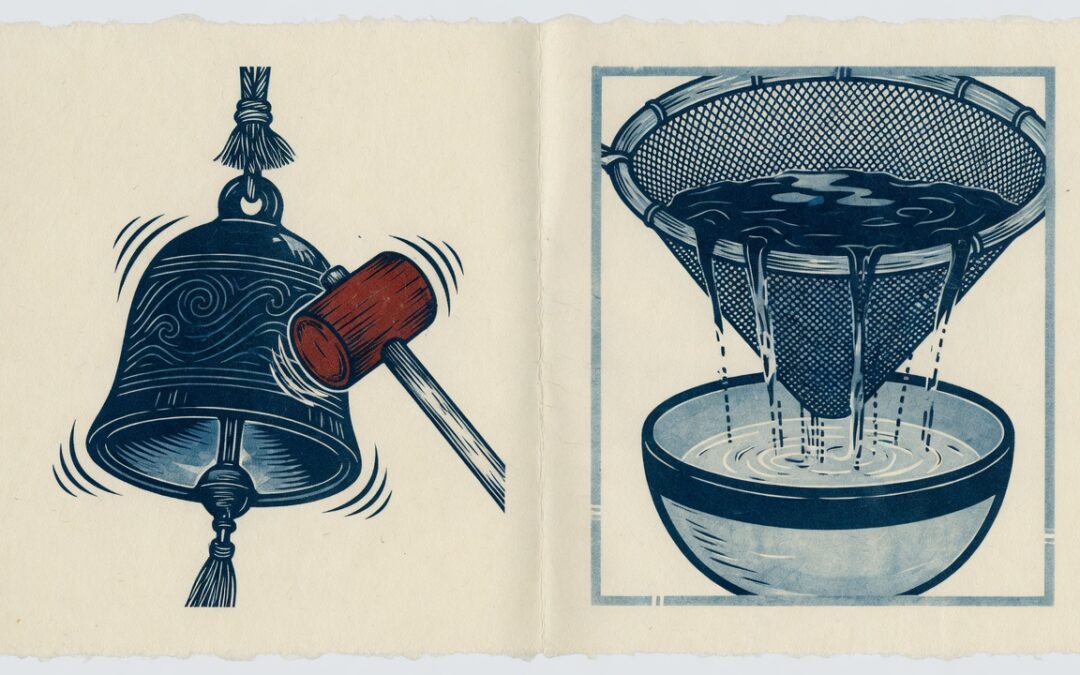
- An action receives information, does work, and returns nothing. Typical work is sending mail, writing a log, enqueueing a script, or inserting a row.
- A filter receives a value, maybe changes it, and must return a value. Typical work is shortening an excerpt, rewriting a title, or mapping a webhook payload.
The Plugin Handbook is explicit: filter callbacks should stay isolated. They should not echo output or change unrelated globals. If you need a side effect, that is an action.
How actions work
WordPress fires an action with do_action(). You attach a callback with add_action():
add_action( string $hook_name, callable $callback, int $priority = 10, int $accepted_args = 1 ): true
Lower $priority numbers run first. The default is 10. Callbacks with the same priority run in the order they were added. $accepted_args must match how many arguments your function actually uses. The default is 1.
save_post is a good first action. Core fires it as do_action( 'save_post', $post_id, $post, $update ), so a callback that needs the post object and the update flag must ask for three arguments:
/**
 * Log when a post is saved. This is an action: it does work and returns nothing.
 *
 * @param int     $post_id Post ID.
 * @param WP_Post $post    Post object.
 * @param bool    $update  Whether this is an existing post being updated.
 */
function yoohoo_log_saved_post( $post_id, $post, $update ) {
	if ( wp_is_post_revision( $post_id ) || wp_is_post_autosave( $post_id ) ) {
		return;
	}

	if ( 'post' !== $post->post_type ) {
		return;
	}

	error_log(
		sprintf(
			'Post %d was %s.',
			(int) $post_id,
			$update ? 'updated' : 'created'
		)
	);
}
add_action( 'save_post', 'yoohoo_log_saved_post', 10, 3 );
Add the snippet through Code Snippets or a small site-specific plugin, not a WordPress core file. Skip revisions and autosaves so a single editor save does not fire twice. If your callback later calls wp_update_post(), unhook it first or you will loop; that pattern is documented on the save_post hook.
Creating posts in PHP is a separate topic. Use wp_insert_post() in WordPress: Parameters and a Safe Example when the job is inserting a post rather than reacting after one is saved.
How filters work
WordPress applies a filter with apply_filters(). You attach a callback with add_filter(). The signatures match add_action():
add_filter( string $hook_name, callable $callback, int $priority = 10, int $accepted_args = 1 ): true
The first argument is the value being filtered. Extra arguments are context only. You cannot change them; you can only return a new $value.
excerpt_length is the cleanest first filter. It receives an integer. The default is 55 words, not characters. Return a different integer:
/**
 * Shorten excerpts to 20 words on the front end.
 *
 * @param int $length Default excerpt length in words.
 * @return int
 */
function yoohoo_short_excerpt_length( $length ) {
	if ( is_admin() ) {
		return $length;
	}

	return 20;
}
add_filter( 'excerpt_length', 'yoohoo_short_excerpt_length', 999 );
Priority 999 matters here. Other code, including a theme default, can also hook excerpt_length. A high number makes your return value the last one WordPress keeps.
A content filter has the same rule: take the string, return a string. Never echo inside it.
/**
 * Append a short note after post content.
 *
 * @param string $content Post content.
 * @return string
 */
function yoohoo_append_support_note( $content ) {
	if ( ! is_singular( 'post' ) || ! in_the_loop() || ! is_main_query() ) {
		return $content;
	}

	$note = '<p>Need help customising this site? Start with a filter, not a core-file edit.</p>';

	return $content . $note;
}
add_filter( 'the_content', 'yoohoo_append_support_note' );
A login destination is also a filter, not an action. The current walkthrough is WordPress login_redirect Filter: Parameters and a Role-Based Example.
What they share
Under the hood, add_action() is a one-line wrapper around add_filter(). WordPress stores both in the same $wp_filter list. That is an implementation detail, not permission to mix them.
Keep the public API separate:
- Use
add_action()/do_action()when you want a side effect. - Use
add_filter()/apply_filters()when later code needs the returned value.
To detach a callback, remove_action() or remove_filter() must receive the same hook name, callback, and priority that you used to add it. Named functions are removable. Anonymous closures usually are not, which is why distributed plugins should keep named callbacks.
Custom hooks in your own code
You do not only consume core hooks. You can offer them. Prefix the names so they cannot collide with another plugin:
do_action( 'yoohoo_after_order_exported', $order_id );

$payload = apply_filters( 'yoohoo_outbound_payload', $payload, $event_id );
That is how WP Zapier stays extensible: WordPress events fire, an outbound payload is assembled, and other code can still change the payload before the webhook leaves the site.
Common mistakes
- Forgetting to return from a filter.
the_contentbecomes empty.excerpt_lengthfalls through asnull. Always return the original value when you decide not to change it. - Echoing inside a filter. The output lands wherever the filter happened to run, not where the returned value is used.
- Wrong
$accepted_args. Ifsave_postis registered with the default of1,$postand$updatenever arrive. - Editing core files. Hooks exist so themes and plugins can change behaviour without touching
wp-includes. - Calling
wp_update_post()onsave_postwithout unhooking. That recursion is the most common crash in custom save handlers.
Conclusion
WordPress actions vs filters is not two different systems. It is one hook list with two contracts. Actions interrupt the request to do work. Filters change a value and pass it on.
Start with save_post when you need a side effect, and excerpt_length when you need to change a number. Keep the 2018 overview for the short definition, and use this page when you need the current signatures and a snippet you can test.
If a WordPress event should also reach Zapier, CRM, or email, that is still an action on the WordPress side. WP Zapier listens, then sends the webhook.