

Table of Contents
- What the
login_redirectfilter does - Parameters
- Safe role-based redirect example
- Why capabilities are better than role names
- Preserve requested destinations when appropriate
- Common mistakes
- Testing checklist
- Conclusion
What the login_redirect filter does
The WordPress login_redirect filter changes the URL used after a successful login. It is the correct core hook when you want administrators, customers, members, or another user group to land on different pages after authentication.
For a broader introduction with plugin options, Andrew's original Redirect Users After Login for WordPress remains available. This new guide focuses specifically on the current core filter API and a safer developer implementation.
The current WordPress login_redirect reference documents this signature:
apply_filters( 'login_redirect', $redirect_to, $requested_redirect_to, $user );
Register your callback with all three accepted arguments:
add_filter( 'login_redirect', 'yoohoo_role_based_login_redirect', 10, 3 );
Pro Tip: Register this filter outside
is_admin(). WordPress's own notes warn thatis_admin()is not available whenlogin_redirectruns.
The filter changes only the destination. It does not authenticate the user, grant access, or replace capability checks on the destination page. Treat it the same way as any other documented hook: read the current signature, then write a small callback. That is the same verification habit as our wpuf_profile_update hook guide.
Parameters
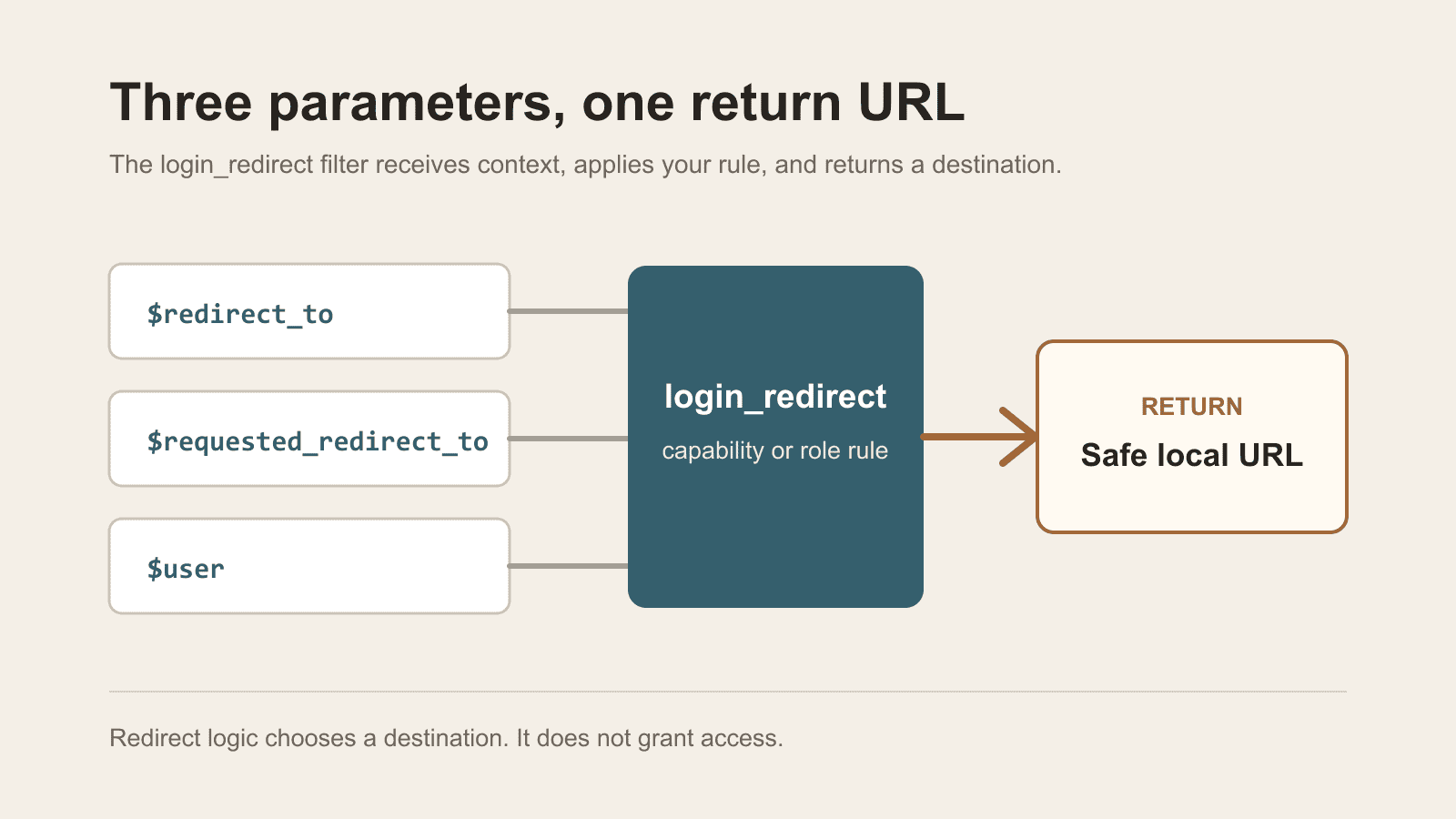
$redirect_to
The URL WordPress has already selected as the redirect destination. Returning it preserves the normal behaviour.
$requested_redirect_to
The destination requested through the login flow, often from a redirect_to query parameter. A user may have been sent to login while trying to open a specific admin or account page, so discarding this value can create a frustrating loop.
$user
A WP_User object after successful authentication, or a WP_Error object when authentication failed. WordPress notes that the $current_user global may not be available at this point. Use the supplied $user parameter.
Safe role-based redirect example
The following snippet keeps administrators on WordPress's selected destination and sends WooCommerce customers to the My Account page. Everyone else keeps the default redirect.
Add it through Code Snippets or a small site-specific plugin and test it on staging.
/**
 * Redirect selected roles after a successful WordPress login.
 *
 * @param string           $redirect_to           Default destination.
 * @param string           $requested_redirect_to Requested destination.
 * @param WP_User|WP_Error $user                  Authenticated user or error.
 * @return string
 */
function yoohoo_role_based_login_redirect( $redirect_to, $requested_redirect_to, $user ) {
	if ( is_wp_error( $user ) || ! $user instanceof WP_User ) {
		return $redirect_to;
	}

	if ( user_can( $user, 'manage_options' ) ) {
		return $redirect_to;
	}

	if ( in_array( 'customer', (array) $user->roles, true ) ) {
		$account_url = home_url( '/my-account/' );

		return wp_validate_redirect( $account_url, home_url( '/' ) );
	}

	return $redirect_to;
}
add_filter( 'login_redirect', 'yoohoo_role_based_login_redirect', 10, 3 );
Change /my-account/ if the site's account page uses another path. WooCommerce provides account-page helpers, but a local path keeps this example usable even when the snippet loads before WooCommerce helper functions are available.
Why capabilities are better than role names
Role names are useful when the business rule truly targets a named group such as customer. For privileged users, check a capability such as manage_options rather than assuming every site uses the default administrator role exactly as expected.
Capabilities describe what a user can do. Roles are collections of capabilities and can be customised by membership, ecommerce, or user-management plugins. The WordPress roles and capabilities handbook is the current model to follow.
Preserve requested destinations when appropriate
A blanket redirect can override links from password-protected pages, checkout, account screens, or admin notices. Before forcing a custom destination, decide whether a valid $requested_redirect_to should win.
For example, you can preserve a local requested URL before applying role logic:
if ( ! empty( $requested_redirect_to ) ) {
	return wp_validate_redirect( $requested_redirect_to, $redirect_to );
}
Do this only when it matches the desired customer journey. An ecommerce store may intentionally send customers back to checkout, while a private intranet may always send members to a dashboard.
Common mistakes
Using the unavailable current-user global
Inspect the $user passed to the filter. Do not rely on $current_user being populated at this stage.
Redirecting on failed authentication
Check for WP_Error before reading roles or capabilities.
Returning an untrusted external URL
Use a known local URL and validate redirects with wp_validate_redirect() or use wp_safe_redirect() when performing a redirect elsewhere in custom code. The filter itself expects you to return a URL; it does not require calling wp_redirect().
Creating a login loop
Do not send a user to a page that immediately requires another authentication flow or redirects back to login. Test logged-out, successful, failed, password-reset, WooCommerce, and administrator paths.
Treating redirect logic as access control
A user can still enter another URL directly. Protect restricted content with capabilities, membership rules, or the appropriate access-control API.
Testing checklist
- Log in as an administrator and confirm the normal destination still works.
- Log in as a customer or target role and confirm the intended local page loads.
- Follow a link that includes
redirect_toand confirm the chosen precedence is correct. - Enter an incorrect password and confirm no PHP warning appears.
- Test WooCommerce checkout and My Account flows.
- Disable the snippet and confirm the original behaviour returns.
A redirect is not a login log, and it is not an automation payload. If you need a last-seen column, use the free When Last Login plugin rather than overloading this filter. If a successful login should notify another system, send that event through WP Zapier instead of stuffing extra work into the destination callback.
Conclusion
The login_redirect filter is a small API with an important contract: return a safe URL, use the supplied user object, preserve the normal destination when your rule does not apply, and keep access control separate.
That produces a redirect that is easier to test and less likely to interfere with ecommerce, membership, or password-reset workflows.
Which login destination would you keep as the default, and which role would you send somewhere else?