
Know Your Users, Grow Your Community
Understanding user engagement is crucial for any WordPress site—whether you’re running a membership site, an online store, or a corporate intranet. When Last Login User Statistics is a powerful WordPress plugin that gives you deep insights into how and when your users interact with your site.
Built as an extension of the popular When Last Login plugin, this add-on transforms raw login data into actionable statistics that help you make informed decisions about your content, marketing, and user experience. No more guessing about user behavior—now you can base your strategies on real data.
Rebuilt entirely using better coding standards, better security and friendlier charts using chartjs.org! This has been long overdue and really a worth-while release, for existing users be sure to update today by navigating to your account.
Key Features and Benefits
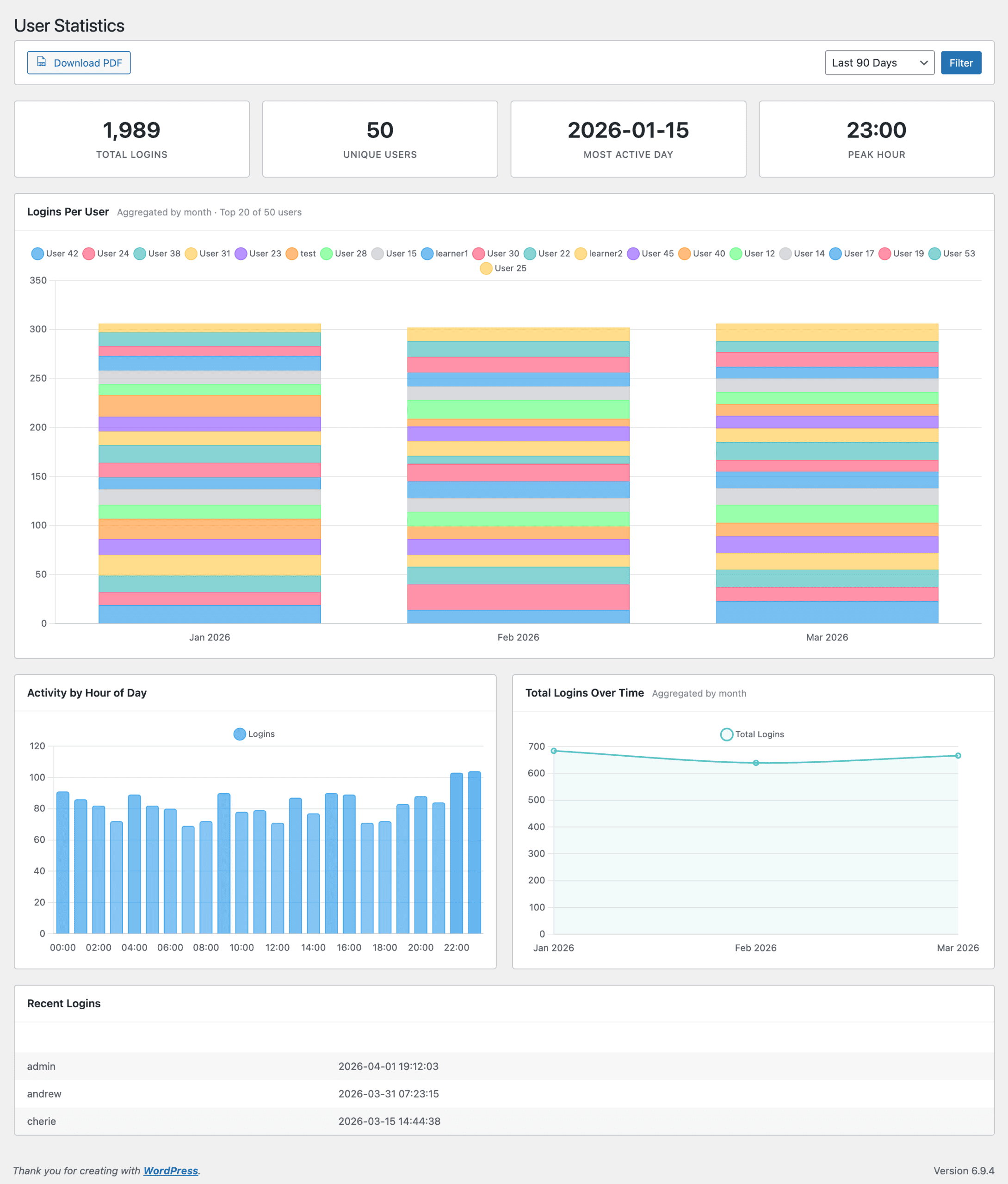
When Last Login User Statistics provides a comprehensive dashboard that displays:
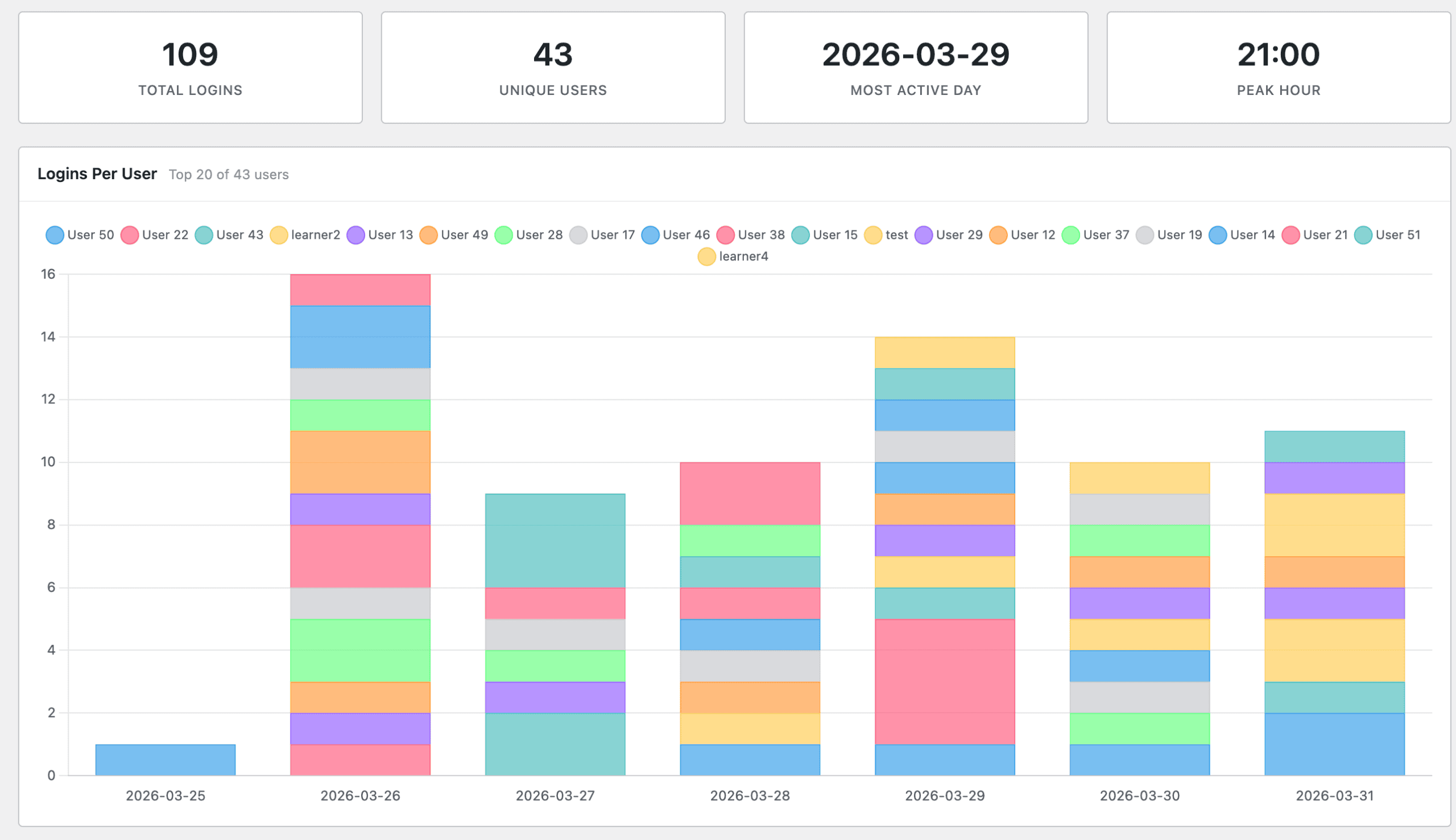
- Total Logins: See the overall login activity across your site at a glance. Track growth over time and measure the impact of your engagement initiatives.
- Unique Users: Understand how many individual users are actively engaging with your platform. This metric helps distinguish between power users and occasional visitors.
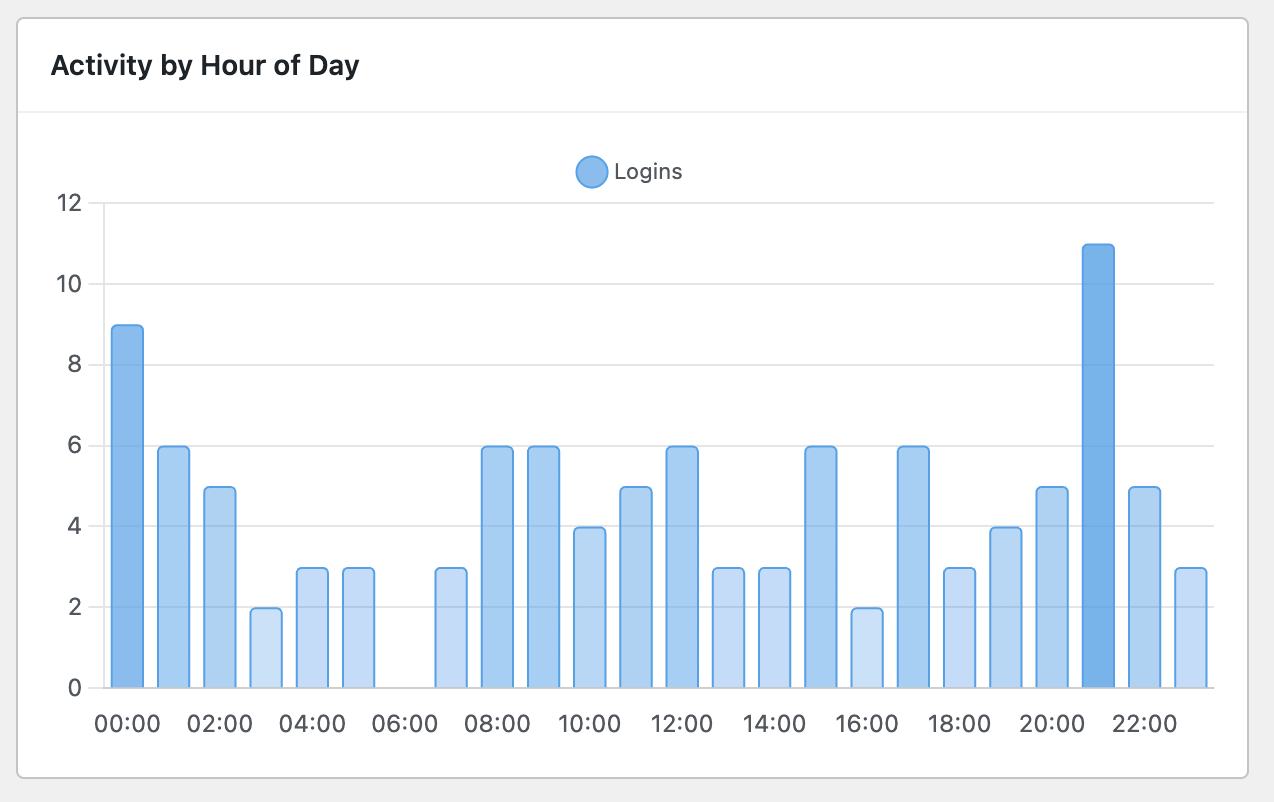
- Peak Hours: Discover when your users are most active—perfect for scheduling posts, maintenance windows, or live events. Know exactly when to publish your most important content.
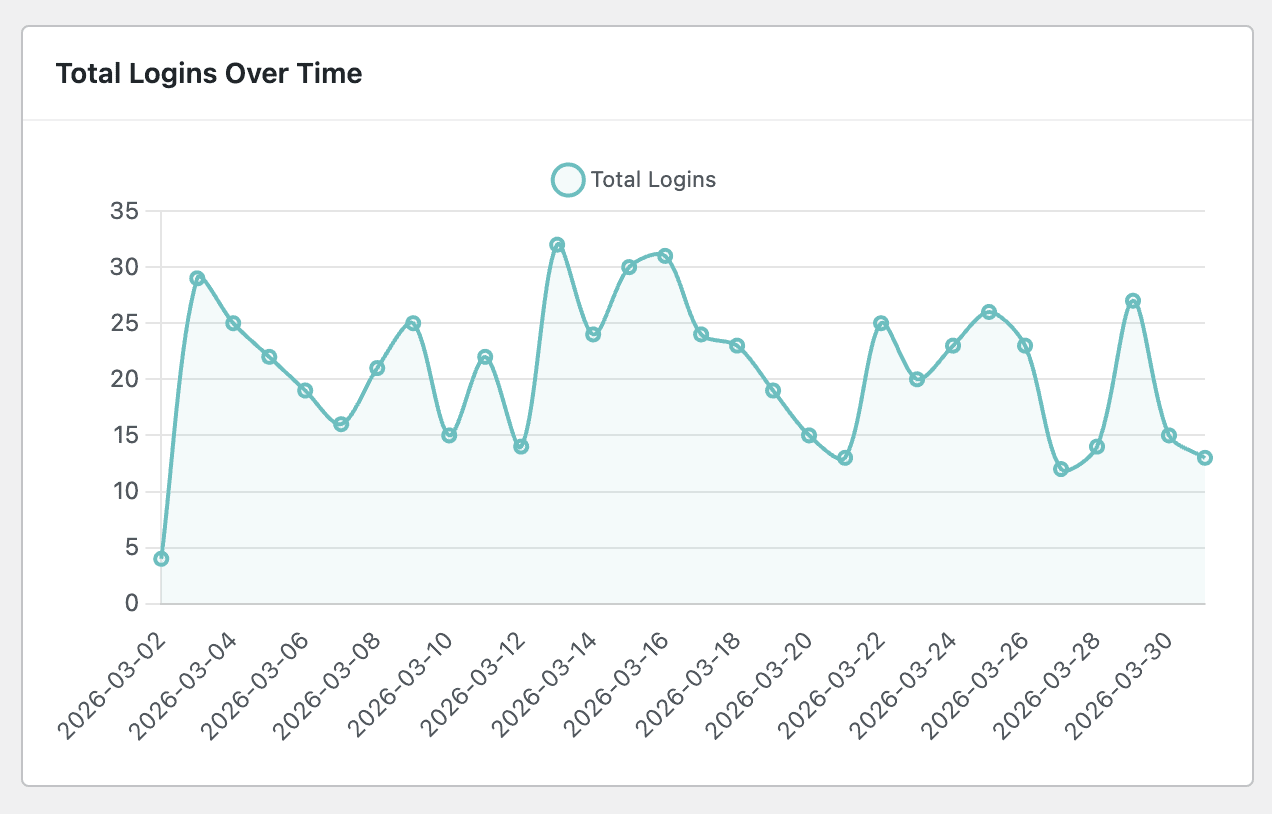
- Daily Breakdowns: Track login patterns over time to identify trends, seasonal variations, and anomalies that might indicate issues or opportunities.
- Top Users: Identify your most engaged users—valuable for community building, reward programs, and personalized outreach.
- Automatic Updates: Automatic updates is now fully functional and correctly implemented with our licensing servers.
NEW: Weekly Activity Email Reports
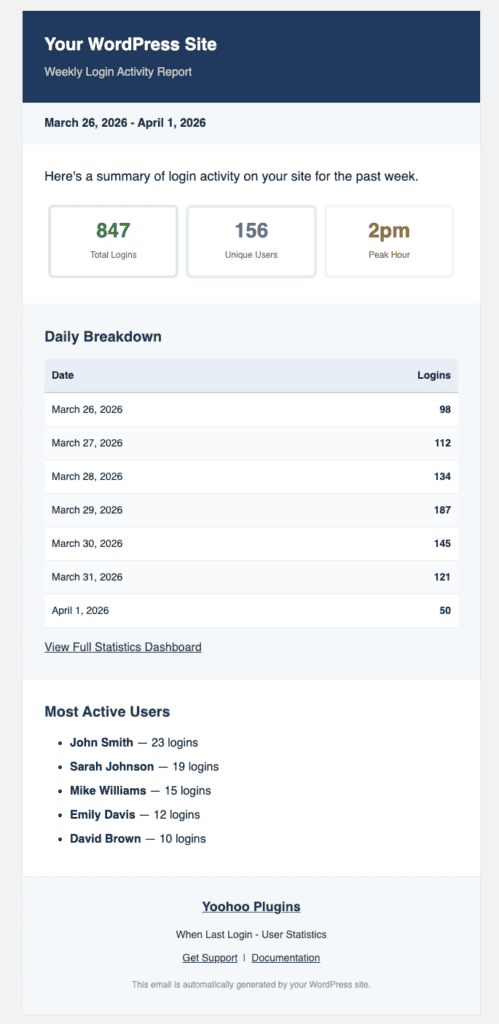
The latest update introduces a game-changing feature: automated weekly email reports delivered straight to your inbox every Monday.
Inspired by the elegant admin activity email design from Paid Memberships Pro, this feature brings Yoohoo Plugins branding to your weekly metrics digest. No more logging into your dashboard just to check user activity—let the statistics come to you.
The weekly email includes:
- A summary of total logins for the past week
- Comparison with previous weeks to spot trends
- Your top 5 most active users
- Peak activity times displayed in an easy-to-read format
- Clean, professional formatting that’s easy to scan on any device
This hands-off approach to monitoring ensures you never miss important changes in user behavior, even during your busiest weeks. Set it once and let the data come to you.
Use Cases for Site Administrators
This plugin shines across various WordPress scenarios:
- Membership Sites: Track member engagement and identify users who might need re-engagement campaigns. Spot declining activity before it becomes churn.
- E-commerce Stores: Understand shopping patterns by correlating logins with purchase times. Optimize your promotional email schedule based on actual user behavior.
- Corporate Intranets: Monitor employee portal usage and ensure teams are staying connected. Great for compliance reporting and internal communications planning.
- Online Communities: Recognize and reward your most active community members. Build loyalty programs based on real engagement data.
- Content Sites: Schedule your best content to publish during peak user hours. Maximize readership by understanding when your audience is most active.