

Table of Contents
- What the table stores
- Important columns
- Why one user can have several rows
- Safe
$wpdbquery for active rows - Read-only SQL for investigation
- Common query mistakes
- Reporting checklist
- Conclusion
What the table stores
Paid Memberships Pro uses the pmpro_memberships_users table to record the relationship between WordPress users and PMPro membership levels. The official PMPro database reference describes it as a reporting table separate from membership orders. It includes current access and historical rows created when levels change, expire, or are cancelled.
The real table name includes the site's WordPress database prefix. A typical single site uses wp_pmpro_memberships_users, but code should use $wpdb->pmpro_memberships_users instead of hard-coding wp_.
This is an internal plugin table, not a public long-term API. Read it only when a PMPro function cannot answer the question, and avoid direct writes. If your task concerns customer-facing order documents rather than membership history, use the separate workflow in our PMPro PDF Invoices getting-started guide.
Important columns
Current PMPro code reads and writes the following fields:
id: unique row ID;user_id: WordPress user ID;membership_id: PMPro level ID;code_id: discount-code record associated with the assignment, when applicable;initial_payment: initial amount stored with the membership row;billing_amount: recurring billing amount stored with the row;cycle_number: number of cycle periods between payments;cycle_period: billing period such as Day, Week, Month, or Year;billing_limit: number of regular billing cycles when limited;trial_amount: recurring trial amount;trial_limit: number of trial cycles;status: membership-row state. PMPro currently documentsactive,admin_cancelled,admin_changed,cancelled,changed,expired, andinactive;startdate: membership-row start date and time;enddate: end date and time, where applicable;modified: timestamp of the last change to the membership row.
The status names preserve useful context. admin_cancelled and admin_changed identify changes made from the admin member screen; cancelled and changed describe front-end actions; expired means the membership reached its end without renewal; and inactive is also used for older inactive records. For a current-access report, start with status = 'active', but keep the more specific historical values when the reason for a change matters.
Exact SQL types, indexes, and legacy details can vary by PMPro version and upgrade history. Run DESCRIBE on a staging copy before building reporting code that depends on the physical schema.
Why one user can have several rows
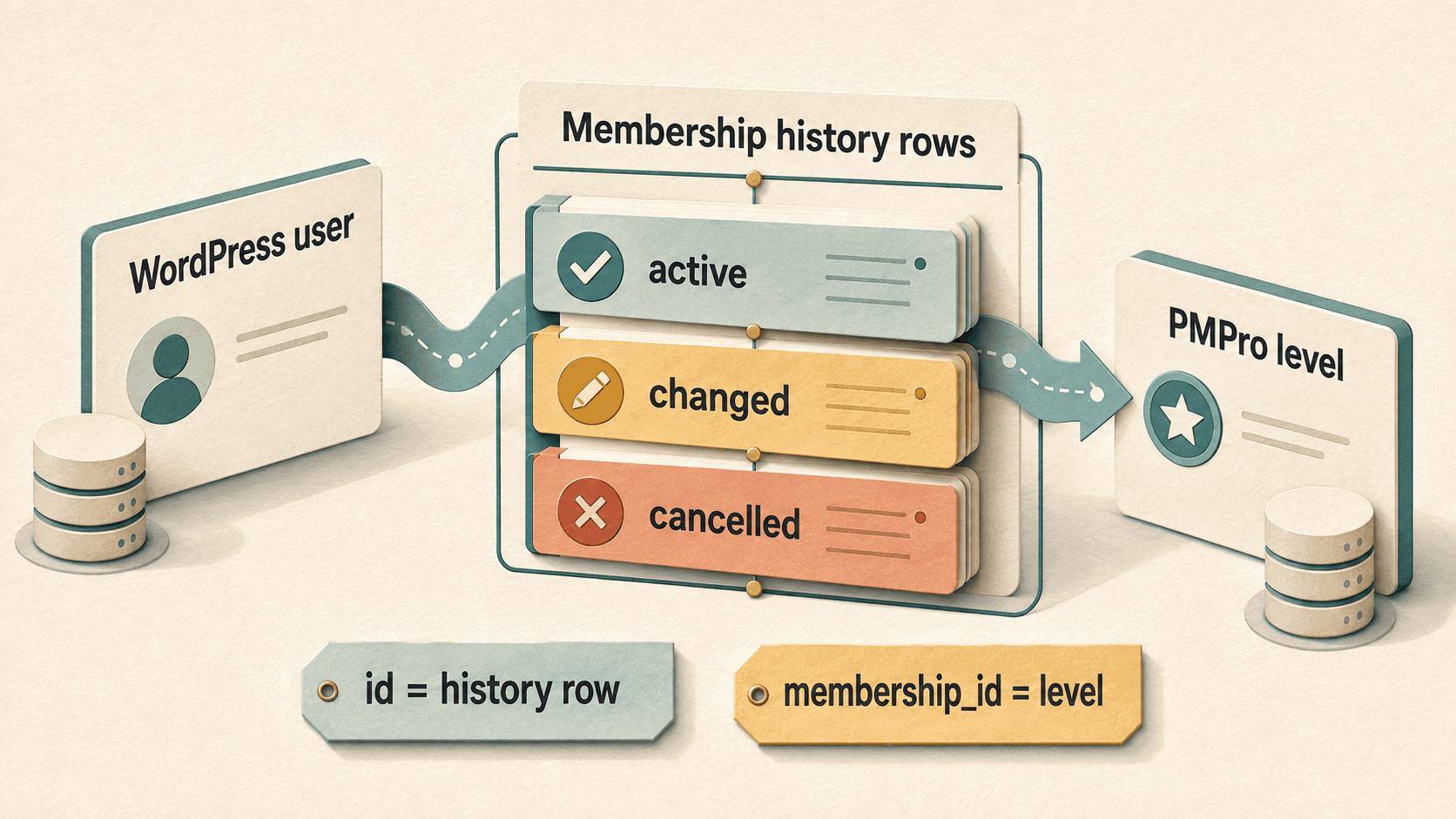
Do not assume one row per user. PMPro's own membership-data cleanup guide notes that one WordPress user can accumulate multiple membership rows over time. A user can have:
- historical rows from previous level changes;
- more than one current level when level groups permit multiple selections, a capability included in PMPro 3.0 and later;
- a cancelled or expired row alongside a newer active row;
- repeated rows for the same level over time.
To ask “what access does this user have now?”, prefer pmpro_getMembershipLevelsForUser() or the documented pmpro_hasMembershipLevel() function. Those functions apply PMPro's current rules and caching.
Use the table directly for reporting questions such as “show the recorded history” or for carefully optimised read-only queries.
Safe $wpdb query for active rows
This example returns the user's active membership rows and joins the current level name. It uses the PMPro table properties and a prepared user ID.
/**
 * Get active PMPro membership rows for a user.
 *
 * @param int $user_id WordPress user ID.
 * @return array
 */
function yoohoo_get_active_pmpro_rows( $user_id ) {
	global $wpdb;

	$user_id = absint( $user_id );

	if ( ! $user_id || empty( $wpdb->pmpro_memberships_users ) ) {
		return array();
	}

	$sql = $wpdb->prepare(
		"SELECT mu.id, mu.user_id, mu.membership_id, mu.status,
				mu.startdate, mu.enddate, ml.name AS level_name
		FROM {$wpdb->pmpro_memberships_users} AS mu
		LEFT JOIN {$wpdb->pmpro_membership_levels} AS ml
			ON ml.id = mu.membership_id
		WHERE mu.user_id = %d
			AND mu.status = 'active'
		ORDER BY mu.startdate DESC",
		$user_id
	);

	return $wpdb->get_results( $sql );
}
All table and column names are fixed by PMPro in this query. Only the user ID is variable, and it is passed through $wpdb->prepare() using the integer %d placeholder.
Read-only SQL for investigation
On a staging copy or approved reporting connection, this query shows the newest rows for one user:
SELECT
    id,
    user_id,
    membership_id,
    status,
    startdate,
    enddate
FROM wp_pmpro_memberships_users
WHERE user_id = 123
ORDER BY startdate DESC, id DESC;
Replace wp_ with the actual prefix and 123 with the test user's ID. Do not paste customer data into public support requests or screenshots.
Common query mistakes
Hard-coding the wp_ prefix
WordPress sites can use another prefix, and multisite adds additional context. Use the PMPro $wpdb table properties in plugin code.
Selecting only by user_id
That returns current and historical rows. Filter intentionally by status or date based on the reporting question.
Treating membership_id as the row ID
id identifies the membership-user record. membership_id identifies the PMPro level.
Updating the table directly
Direct writes can bypass cache clearing, hooks, emails, level-group logic, and future schema changes. Use PMPro functions instead. Our pmpro_changeMembershipLevel() guide explains the access-change path and its important separation from gateway billing.
Assuming amounts equal gateway truth
The row stores PMPro membership terms. The payment gateway remains the authority for the remote subscription and actual transactions.
Reporting checklist
Before deploying a custom report:
- document the PMPro version and table schema used during development;
- test users with one active level, multiple levels, a changed level, and an expired level;
- compare the report with PMPro's own member screen;
- use read-only database permissions where practical;
- avoid exposing emails, names, or payment information unnecessarily;
- test the query on realistic data volume and add caching only when appropriate.
Conclusion
pmpro_memberships_users is a membership-history table, not a one-row-per-user lookup. Understand id versus membership_id, filter current and historical statuses deliberately, use $wpdb->prepare(), and prefer PMPro's functions for access decisions and all writes.
That keeps reports accurate without bypassing the plugin behaviour that protects membership state.