
Getting Started: Trust Badges for WooCommerce
WooCommerce / Getting Started
Trust Badges for WooCommerce shows payment, security, and guarantee icons on product pages, the cart, and the footer. Use the built-in groups or a shortcode for a custom group.
Installation
WooCommerce should be installed and active for automatic product and cart placement. The plugin needs WordPress 5.8+, WooCommerce 5.0+, and PHP 7.4+.
- Download the zip from your purchase email or from File Downloads.
- In WordPress go to Plugins → Add New → Upload Plugin and upload the zip.
- Or unzip and copy the
yh-woo-trust-badgesfolder into/wp-content/plugins/. - Activate Trust Badges for WooCommerce on the Plugins screen.
Without WooCommerce the plugin still loads. Automatic product and cart placement is skipped. Shortcodes and the footer group still work. Settings move to Settings → Trust Badges.
Activate your license
A license key is required for automatic updates and support.
- Copy the key from License keys or your purchase email.
- In WordPress go to WooCommerce → Trust Badges and open the License tab.
- Paste the key and save to activate it.
If the key shows as expired or “Register your copy”, see License shows expired or Register your copy.
Open the settings
Go to WooCommerce → Trust Badges. Each group has a live preview on the right.
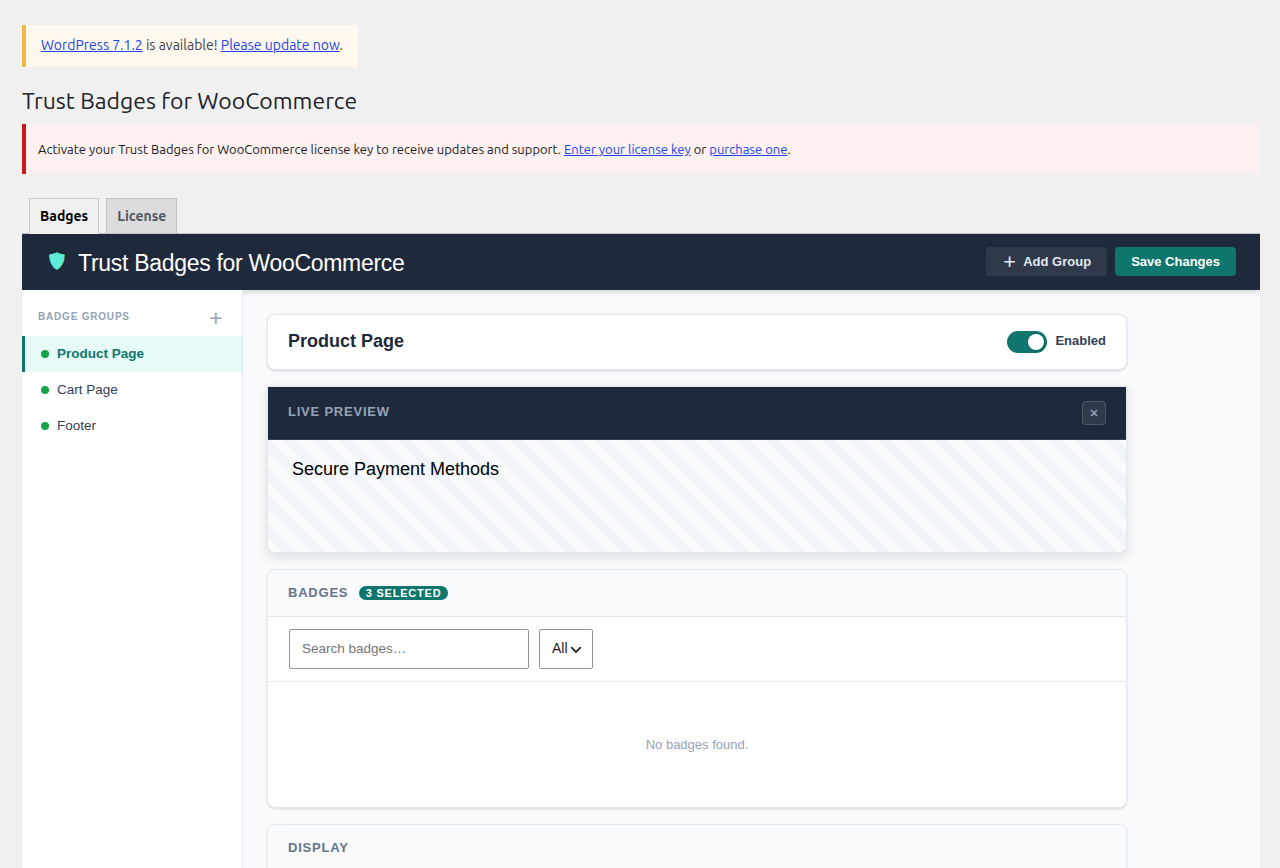
Badge groups
Three groups are created on activation. Turn a group off if you do not want it on the front end.
| Group ID | Where it shows | Default header |
|---|---|---|
product_page | After the add to cart form on single products | Secure Payment Methods |
cart | Classic cart totals, and after the block cart | Secure Cart |
footer | Site footer on every page | Payment Options |
Custom groups can use any ID, including a number. They only show where you put a shortcode.
Group settings
| Setting | What it controls |
|---|---|
| Header | Optional heading above the badges, plus font size and text colour. |
| Alignment | Left, center, or right for the header and the badge row. |
| Style | Original, monochrome, card, or mono-card. |
| Size | Separate desktop and mobile sizes. |
| Colour | Tint used by monochrome styles. |
| Animation | Optional fade or similar on load. |
| Selected badges | The icons in that group, in order. |
Shortcode
Paste this into a page, post, or widget:
[trust_badges]That prints the footer group. Pass id for another group:
[trust_badges id="product_page"]
[trust_badges id="cart"]
[trust_badges id="footer"]
[trust_badges id="my_custom_group"]
[yh_trust_badges] is an alias of the same shortcode.
Custom badges
- In a group, upload an image.
- Set alt text when you upload. You can edit it later.
- The file is stored under
wp-content/uploads/yh-woo-trust-badges/so it survives plugin updates.
SVG uploads are sanitised. Scripts and event-handler attributes are stripped before save.
Front end
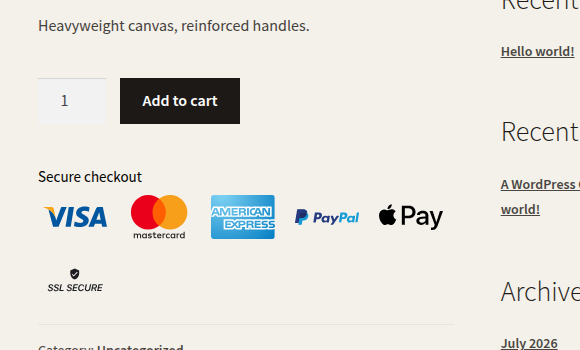
Default product-page badges sit under the add to cart button. Cart badges sit with cart totals on classic templates, and after the cart block on block themes.
Common mistakes
Badges missing on the product page
The product_page group is off, WooCommerce is inactive, or the theme does not fire woocommerce_after_add_to_cart_form.
Fix: Turn the group on. Confirm WooCommerce is active. Use [trust_badges id="product_page"] in the product template if the hook is missing.
Cart badges missing on a block cart
Classic cart hooks do not run inside the WooCommerce cart block.
Fix: Keep the cart group on. The plugin injects after woocommerce/cart. If a custom cart template still hides them, add [trust_badges id="cart"] to that template.
Wrong group in a shortcode
[trust_badges] with no id is the footer group, not the product page.
Fix: Pass id="product_page", id="cart", or your custom group ID.
License key not saving updates
The updater talks to yoohooplugins.com. A 1 Site license only holds one activation.
Fix: Activate under WooCommerce → Trust Badges → License. Deactivate the old site first if you moved. See staging and multisite licenses.