

How to Add Your Logo to PMPro PDF Invoices
Table of Contents Before you start Prepare a readable logo file Select and save the invoice logo Check the logo placeholder in your template Download a fresh sample PDF Decide separately about existing invoices If the logo is missing or looks wrong Conclusion Your...
How to Read a When Last Login User Statistics Report
Table of Contents What you need Read the four cards Read the monthly chart Download the PDF Read the weekly email When the numbers look wrong What this report is not Conclusion A When Last Login User Statistics report is a summary of logins the free When Last Login...
How to Show a Member Billing Address on a PMPro PDF Invoice
Table of Contents What you need Where the address is stored Use the ready-made block Place the lines yourself Account name and billing name When the address stays blank Rebuild invoices that already exist Common mistakes Conclusion A PMPro PDF billing address is the...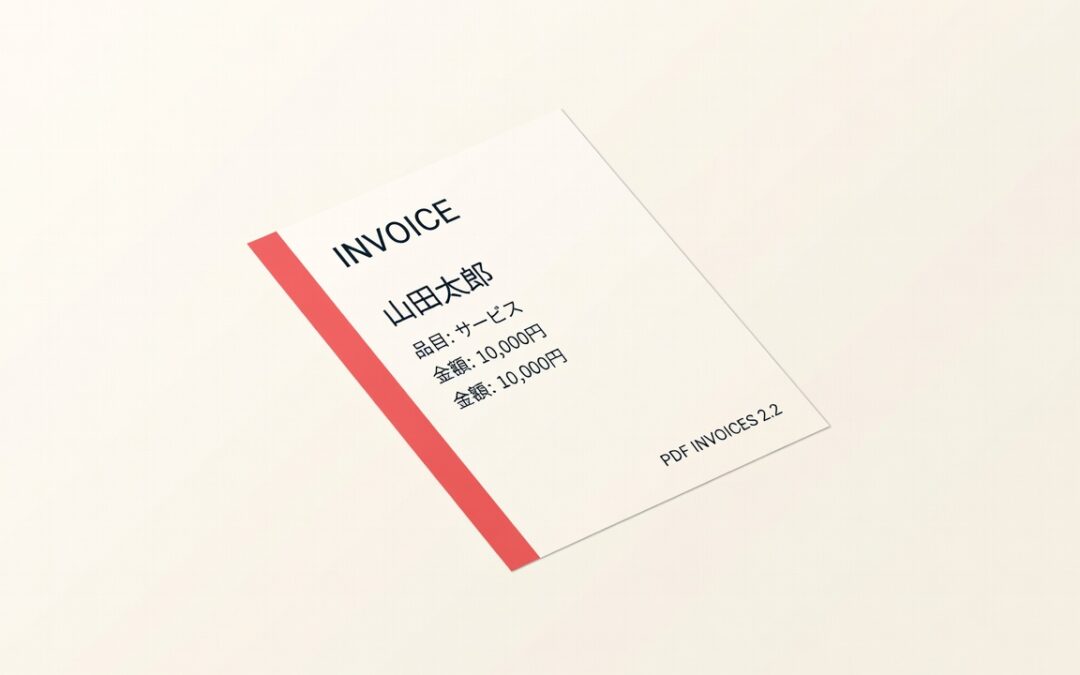
Paid Memberships Pro PDF Invoices V2.2 Release
Japanese, Chinese, Korean, Arabic, and other non-English names have been showing as blank squares (□) on PDF invoices. PDF Invoices 2.2 puts a Noto font stack on every built-in template so those characters print correctly. Noto fonts on every built-in template...
pmpro_memberships_users Table: Practical Column and Query Guide
Table of Contents What the table stores Important columns Why one user can have several rows Safe $wpdb query for active rows Read-only SQL for investigation Common query mistakes Reporting checklist Conclusion What the table stores Paid Memberships Pro uses the...Secure checkout with instant delivery
Safely purchase products through PayPal or Stripe. Purchase with confidence.


14 DAY MONEY BACK GUARANTEE