

Table of Contents
- Quick verdict
- What Blocksy is
- Blocksy Free: what you get
- What Blocksy Pro adds
- Blocksy pricing and lifetime options
- WooCommerce strengths
- Starter sites: useful, with one warning
- Who should choose Blocksy
- Conclusion
Quick verdict
Blocksy remains a strong general-purpose WordPress theme for people who want visual controls, solid block-editor support, and useful WooCommerce options without starting from a blank full-site-editing theme.
The free version is capable enough for many blogs, service sites, and straightforward stores. Blocksy Pro is most useful when you need conditional content blocks, advanced menus, custom headers or templates, or more shop features. The specific plan matters: Business adds the Shop Extra and Post Types Extra extensions, while White Label is reserved for Agency.
Our verdict is positive, with one qualification: Blocksy exposes many options. That flexibility is useful, but teams should document their design choices so the Customizer does not become a collection of one-off tweaks.
What Blocksy is
Blocksy is a free commercial WordPress theme by Creative Themes. The free theme is distributed through WordPress.org, while the paid upgrade is delivered as a companion plugin that adds premium modules to the free theme.
The official WordPress.org listing describes Blocksy as a modern theme with block-editor and WooCommerce support. On 14 August 2026, it listed version 2.1.50, more than 300,000 active installations, and a five-star aggregate rating. Those figures change, so check the current listing rather than treating them as permanent benchmarks.
Blocksy is not a WordPress block theme in the strict site-editor sense. Its main design workflow is the familiar WordPress Customizer, enhanced with drag-and-drop header and footer builders and contextual controls.
Blocksy Free: what you get
The free version provides a surprisingly complete starting point:
- Gutenberg and wide/full-width block support;
- global colour and typography controls;
- responsive layout controls;
- header and footer builders;
- blog archive and single-post layouts;
- breadcrumbs, related posts, and social-sharing options;
- useful WooCommerce layouts and product-display controls;
- free starter sites for several site types.
The header builder remains one of Blocksy's clearest strengths. You can arrange logo, menu, search, social, account, and trigger elements for desktop and mobile without editing theme files.
For a small brochure site or an uncomplicated WooCommerce catalogue, start with Free. Build the real header, product page, cart, and mobile navigation before deciding that a paid feature is essential.
What Blocksy Pro adds
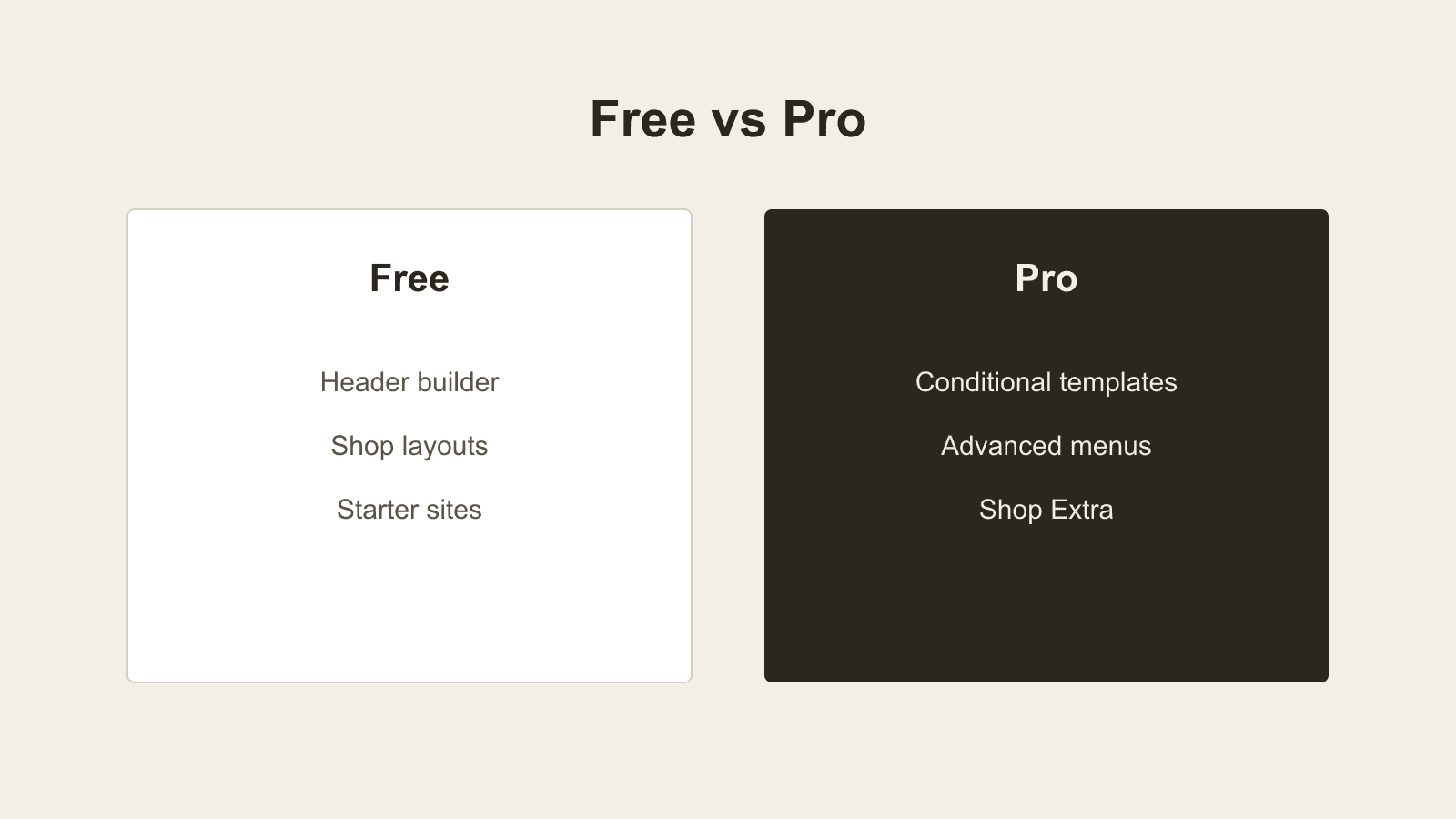
Blocksy Pro expands the theme through premium modules rather than replacing the free theme. Depending on the current plan and feature matrix, the main reasons to upgrade include:
- Content Blocks for hooks, popups, and conditional templates;
- advanced menus and mega-menu layouts;
- custom fonts and local font controls;
- conditional sidebars and display rules;
- enhanced WooCommerce features and shop filters through Shop Extra on Business and Agency;
- custom code and header/footer template options;
- white-label controls on the Agency plan;
- access to Pro starter sites.
The Content Blocks system is the most important difference for developers and advanced site owners. It can place reusable Gutenberg-built content at theme hook locations or replace headers, footers, archives, and single templates under selected conditions. The official Blocksy Pro plan comparison explains which extensions belong to each tier.
Do not upgrade only because a feature sounds useful. Map the required outcome first, confirm which current plan includes it, and test the free workflow on staging.
Blocksy pricing and lifetime options
Blocksy currently offers annual and lifetime licences for Personal, Business, and Agency use. On 14 August 2026, the official pricing page listed Personal at $69 per year or $199 lifetime for one site, Business at $99 per year or $299 lifetime for 10 sites, and Agency at $149 per year or $499 lifetime for unlimited sites.
Prices, discounts, site limits, support terms, and plan names can change. Check the official pricing page immediately before publishing or purchasing. If this article remains live long-term, avoid putting promotional discounts in the title or meta description.
The lifetime option is attractive when you expect to keep Blocksy on the same site portfolio for several years. An annual plan can be the better first step when you are still validating the theme against a client's plugins and design requirements.
WooCommerce strengths
Blocksy is a sensible fit for small and medium WooCommerce stores that want strong visual controls without building every template from scratch. Useful features include flexible shop and product layouts, responsive headers, off-canvas areas, and starter sites designed around ecommerce.
Pro adds more advanced shop modules, filters, and display tools. However, a theme cannot guarantee a fast store by itself. Product images, extensions, hosting, third-party scripts, caching, and database health all affect real performance.
Before launch, test:
- product and variation selection;
- stock, backorder, and lead-time messaging;
- cart fragments and mini-cart behaviour;
- checkout on mobile and desktop;
- account, password-reset, and order pages;
- caching and optimisation plugins;
- accessibility with a keyboard and screen reader.
If delivery expectations matter to your store, pair the theme test with our guide to showing backorders and lead times clearly in WooCommerce.
Also test any interface added by store extensions. For example, confirm that Lead Times for WooCommerce and Name Your Price for WooCommerce remain readable and usable on product, cart, and checkout screens.
Starter sites: useful, with one warning
Blocksy offers starter sites for Gutenberg, Elementor, Brizy, and several business types. They can reduce setup time and make the theme easier to evaluate.
Import a starter site into a fresh installation or staging copy. Blocksy's own import guidance and starter-site FAQ warn that importing can replace existing content. Take a backup, review the required plugins, and import only the parts you intend to keep.
After import, remove unused demo pages, forms, images, users, and plugins. A starter site should become your design foundation, not permanent demo clutter.
Who should choose Blocksy
Blocksy is a good fit when you:
- prefer the Customizer to building an entire theme in the Site Editor;
- want a capable free foundation with a clear Pro upgrade path;
- run WooCommerce and value visual product-layout controls;
- build multiple client sites and can standardise reusable settings;
- want Gutenberg content with optional Elementor or Brizy starter sites.
Consider another approach when you need a pure block-theme workflow, the smallest possible settings surface, or a highly bespoke design system that will be coded independently of theme options.
Conclusion
Blocksy Free is still one of the more complete free WordPress themes for practical business and WooCommerce builds. Pro earns its place when conditional content, advanced navigation, shop extensions, or agency controls save real build and maintenance time.
Test the free version with your actual plugin stack, document the design settings, and upgrade for a confirmed requirement rather than a long feature list.
Which Blocksy feature would make the biggest difference on your next WordPress or WooCommerce build?