
Table of Contents
- Introduction
- Revolutionizing Collaboration with “Notes”
- New Blocks & Design Tools
- Performance & Developer Updates
- What This Means for Store Owners
- Conclusion
Introduction
As we say goodbye to 2025, the WordPress community has received one final gift: WordPress 6.9. Released officially on December 2, 2025, this update focuses heavily on refining workflows and improving team collaboration.
If you have been waiting for a release that prioritizes “getting things done” over flashy new redesigns, this is it. In this recap, we will break down the best WordPress 6.9 features and explain why they matter for your website.
Revolutionizing Collaboration with “Notes”
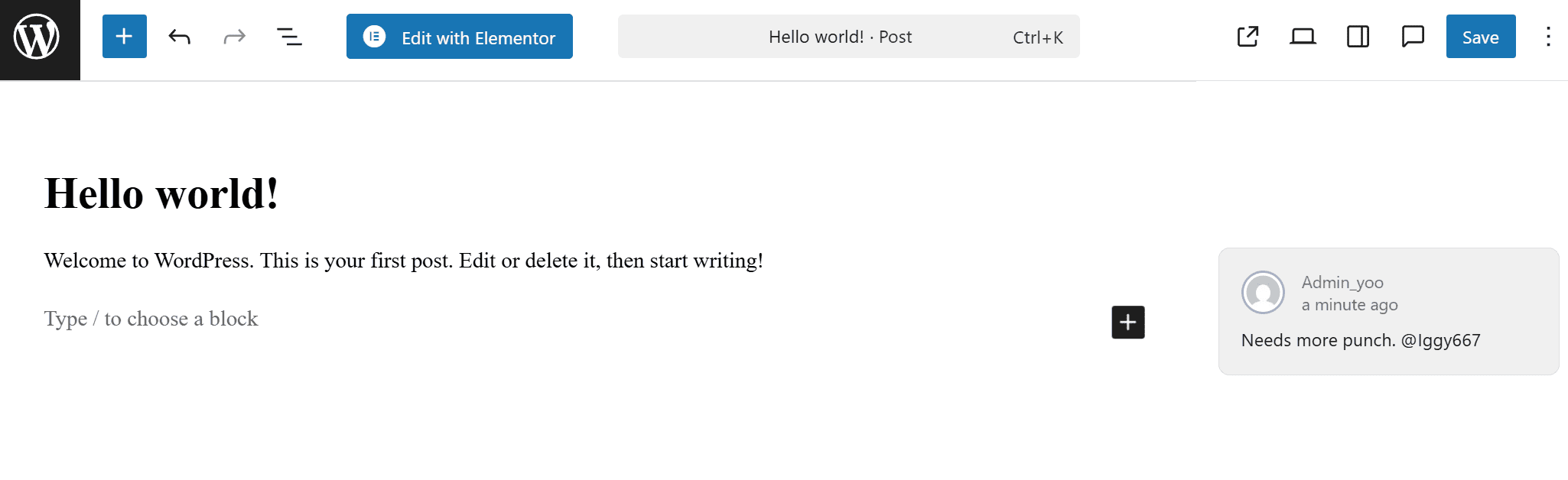
The standout feature of this release is undoubtedly Notes. Previously known as “Block Comments,” this feature allows you and your team to leave comments directly on specific blocks within the editor.
Why This Matters
For years, editorial teams had to rely on Slack messages or external Google Docs to discuss changes. Now, you can tag a team member on a specific paragraph release and ask, “Can we make this punchier?” directly inside WordPress.
- Streamlined Feedback: No more switching tabs.
- Contextual History: See why a change was made right next to the content.
Pro Tip: This is perfect for teams using Lead Times for WooCommerce. You can leave notes on product pages to discuss lead time updates with your inventory manager without leaving the dashboard.
New Blocks & Design Tools
WordPress 6.9 introduces several new blocks that eliminate the need for extra plugins. These additions give you more control over your layout and content design.
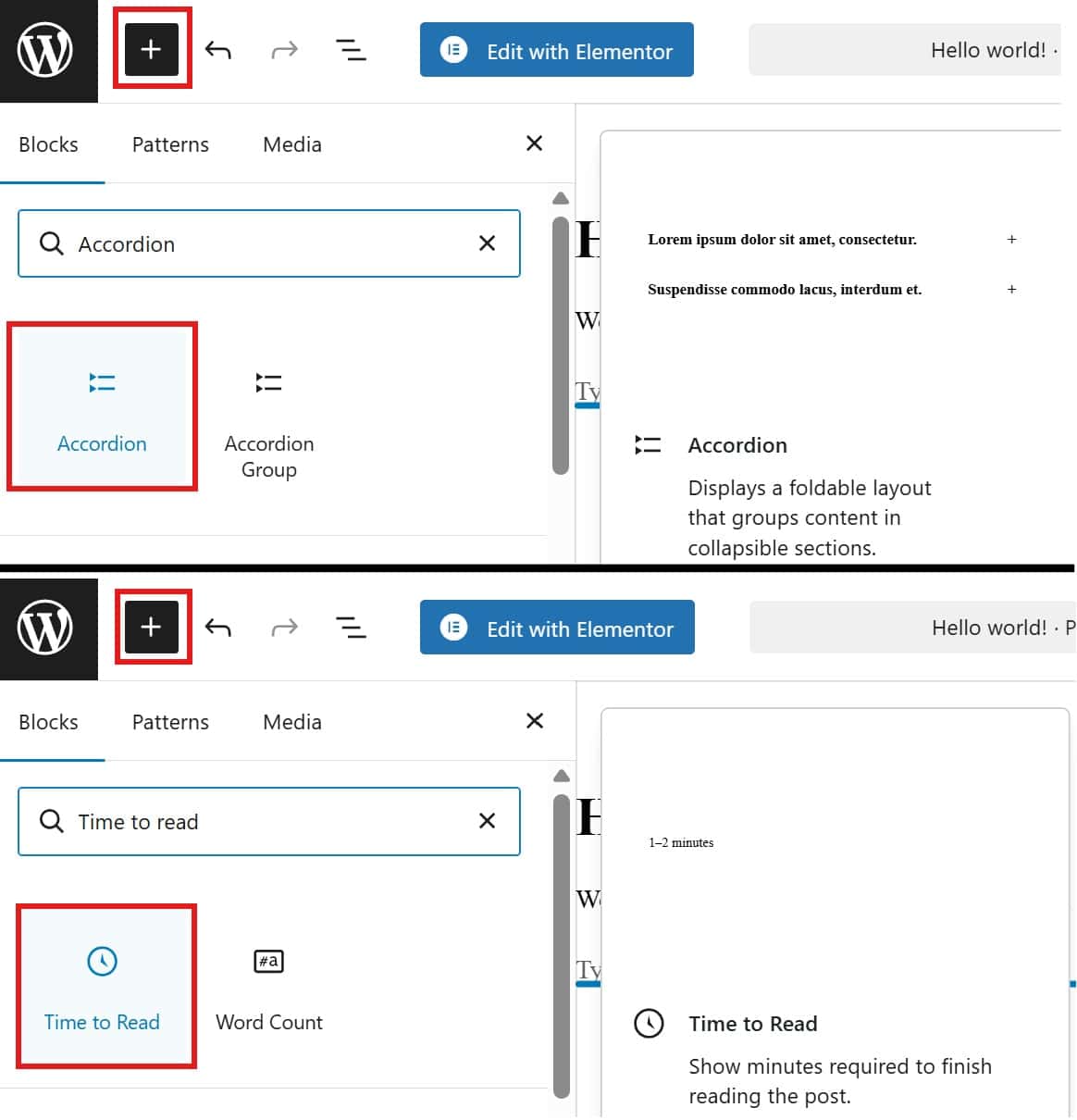
1. The Disclaimer & Accordion Blocks
Finally, a native Accordion Block is here! You no longer need heavy page builder addons just to create a collapsible FAQ section. This block is lightweight, accessible, and fast.
2. Time-to-Read Block
Great for blog heavy sites, this block automatically calculates and displays the estimated reading time for your posts. It helps set expectations for your readers immediately.
3. “Fit Text” Typography
Designers will love the Fit Text option. It automatically scales your text to fit the container width. This ensures your headlines look perfect on any screen size without writing complex CSS media queries.
Performance & Developer Updates
For the developers and performance geeks among us, WordPress 6.9 features some significant under-the-hood improvements.
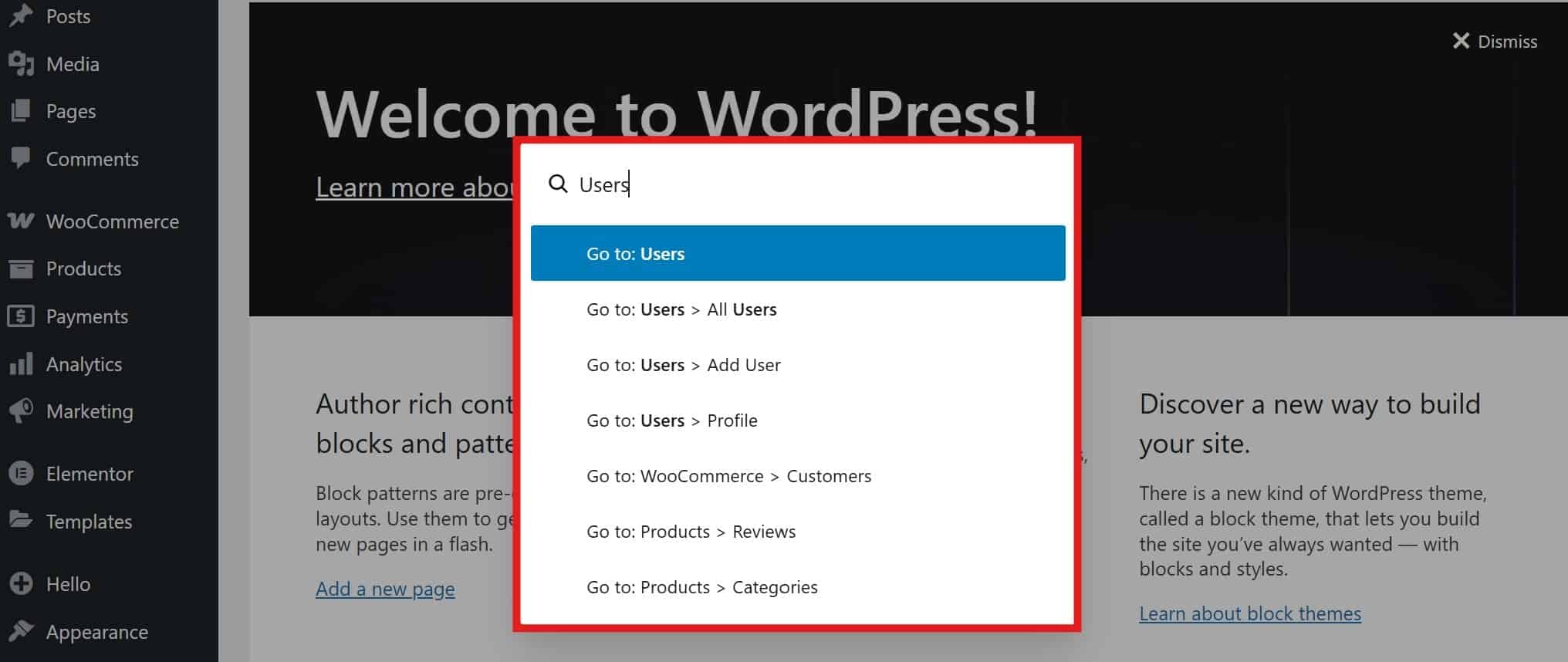
The Command Palette is Everywhere
The Command Palette (Ctrl + k or Cmd + k) is now accessible throughout the entire WordPress admin, not just the Site Editor. You can jump from editing a post to managing plugins in seconds.
The Abilities API
This is a game-changer for plugin developers. The Abilities API standardizes permissions across PHP, JavaScript, and the REST API. It paves the way for smarter AI agent integration in the future, making automated workflows more secure and reliable.
What This Means for Store Owners
If you run a WooCommerce store, you might be worried about compatibility. The good news is that WordPress 6.9 is largely backward compatible. However, the new “Hide Block” feature is particularly useful for you.
You can now toggle the visibility of a block without deleting it. This allows you to:
* Pre-design sales banners and hide them until Black Friday.
* Draft new product descriptions on a live page without showing them to customers yet.
Test Before You Update
As always, never update your live store without testing. We highly recommend using a staging site. If you need to test checkout flows with the new update, check out our guide on how to Generate Fake WooCommerce Orders. It will help you verify that the update hasn’t broken your checkout process.
Conclusion
WordPress 6.9 is a robust, practical way to end the year. It solves real workflow headaches with Notes and empowers designers with better typography tools.
Key Takeaways
- Update safely: Always backup and test on staging.
- Collaborate better: Start using Notes for team feedback.
- Clean up: Replace old accordion plugins with the new native block.
Ready to optimize your store for 2026? Ensure your customer communication is on point with Lead Times for WooCommerce, and enjoy the new features of WordPress!